

Applied Data Science : A Self-Contained Guide from Problem to Deployment#
Applied Data Science : A Self-Contained Guide from Problem to Deployment is a hands-on, code-along resource designed to help you explore the world of data science not just theoretically, but through direct, interactive real-world applications.
The resource is broadly divided into three parts.
The first part is the book which covers various topics in detail. These topics are organized into chapters, each containing detailed write-ups and interactive code examples that can be explored using the live code mode. Every chapter concludes with a Lab, designed to test the reader’s understanding. Each Lab is a Jupyter notebook that the reader is expected to download and run locally (see Getting Started). If you are using this resource as part of a course, you may need to submit the completed notebook for grading.
The second part of the resource is the Guide. Each chapter in the book has an accompanying guide that instructors can use to teach the topic in class. These guides can be thought of as interactive slides, enhanced with live elements and visualizations, aimed at providing a deeper and more engaging learning experience.
The third part is the Project. In this section, students are expected to explore and solve a problem end-to-end using data science. They will go through each stage of the data science lifecycle while working on their chosen problem. The project will culminate in building a Data Science Dashboard, where students develop a model and deploy it as a web application, either as an insights dashboard or as a functional tool for others to use. The goal of this component is to provide hands-on experience in building real-world data science applications, taking ideas from ideation to deployment.
Who is this for?#
This resource is ideal for learners with basic programming knowledge who wish to apply data science techniques to real-world scenarios, whether for work, projects, or personal curiosity. It has also been designed to support instructors in teaching a data science course. The resource includes features such as autograding for assignments and labs, along with integration options for Learning Management Systems (LMS). This makes it equally suitable for independent learners as well as for classroom use.
How to use this resource?#
The book is organized into chapters, each focused on a key phase of the data science lifecycle. Each chapter includes structured sections and subsections. Pages begin with a brief conceptual overview, followed by interactive elements - such as code-along examples, quizzes to reinforce understanding, or exercises to apply what you’ve learned. Most exercises can be completed directly within the book.
Quizzes#
To take a quiz, simply click on the cards to select your answer and get immediate feedback.
Quizzes may include multiple-choice questions, numeric responses, or short text answers.
Example#
Code-Along and Exercises#
For code-along snippets and exercises, you can run the code directly within the book. Click the → Live Code button at the top of the page to enable the interactive environment.
This will allow you to run, edit, and experiment with the code snippets, as well as attempt the embedded exercises and tests.
Note
Wait for the kernal status to become “ready” before you start coding. You can see this at the top of your screen.
Example#
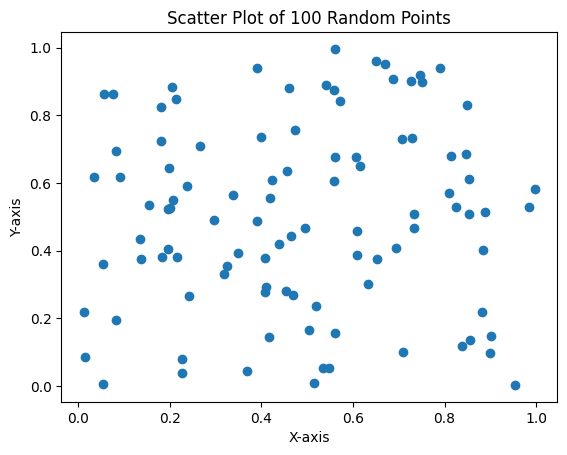
import matplotlib.pyplot as plt
import numpy as np

num_points = 100 # Change this value to plot more or fewer points
x = np.random.rand(num_points)
y = np.random.rand(num_points)
plt.scatter(x, y)
plt.title(f"Scatter Plot of {num_points} Random Points")
plt.xlabel("X-axis")
plt.ylabel("Y-axis")
plt.show()
Example#
# Write a function that returns the square of a number
def square(x):
    # Your code here
    pass
# Hidden test cell (but runs when user clicks Run All)
try:
    assert square(3) == 9
    print("✅ Correct")
except Exception as e:
    print(f"❌ Incorrect: {e}")
❌ Incorrect:
Important
Your code edits are saved locally in your browser’s storage, so you can return later and pick up where you left off - as long as Live Code mode is enabled. This applies to all editable code cells throughout the book.
To reset the book and remove all saved edits, simply clear your browser’s local storage.